

Key Takeaways
Cin7 Core gives wholesalers the three building blocks of a B2B operation in one system: tiered pricing, a self-service trade portal, and a structured purchasing workflow. The value comes from configuring each one to match how you actually sell and buy.
- Set your price tiers first: tier names live in general settings and values sit on each product, with up to 10 tiers, because both your price lists and your portal read from them.
- Use custom pricing for key accounts: customer-specific prices override tiers and price lists, which is the clean way to handle negotiated deals.
- Treat the trade portal as an add-on: the B2B Portal is a paid extra, and you can run several portals with different catalogues and branding for different customer groups.
- Decide your purchase input method early: Stock First or Invoice First, plus simple versus advanced purchases, shapes how orders are received and invoiced.
- Keep pricing, orders and accounting in sync: connected integrations stop the portal, your stock and your books from drifting apart.
Selling wholesale is a different discipline from selling to consumers. The same product can carry several prices depending on the buyer, orders arrive in larger, more predictable cycles, and the relationship runs on agreed terms rather than impulse. A system built only for retail tends to creak under that weight. Cin7 Core is built for it, and three features do most of the work: tiered B2B pricing, a self-service trade portal, and a structured purchasing workflow.
Setting these up well is what separates a smooth wholesale operation from a stack of spreadsheets and email threads. This guide walks through how each piece works in Cin7 Core, the order to tackle them in, and the choices that are far easier to make at the start than to unpick later.
Build your B2B price lists with price tiers
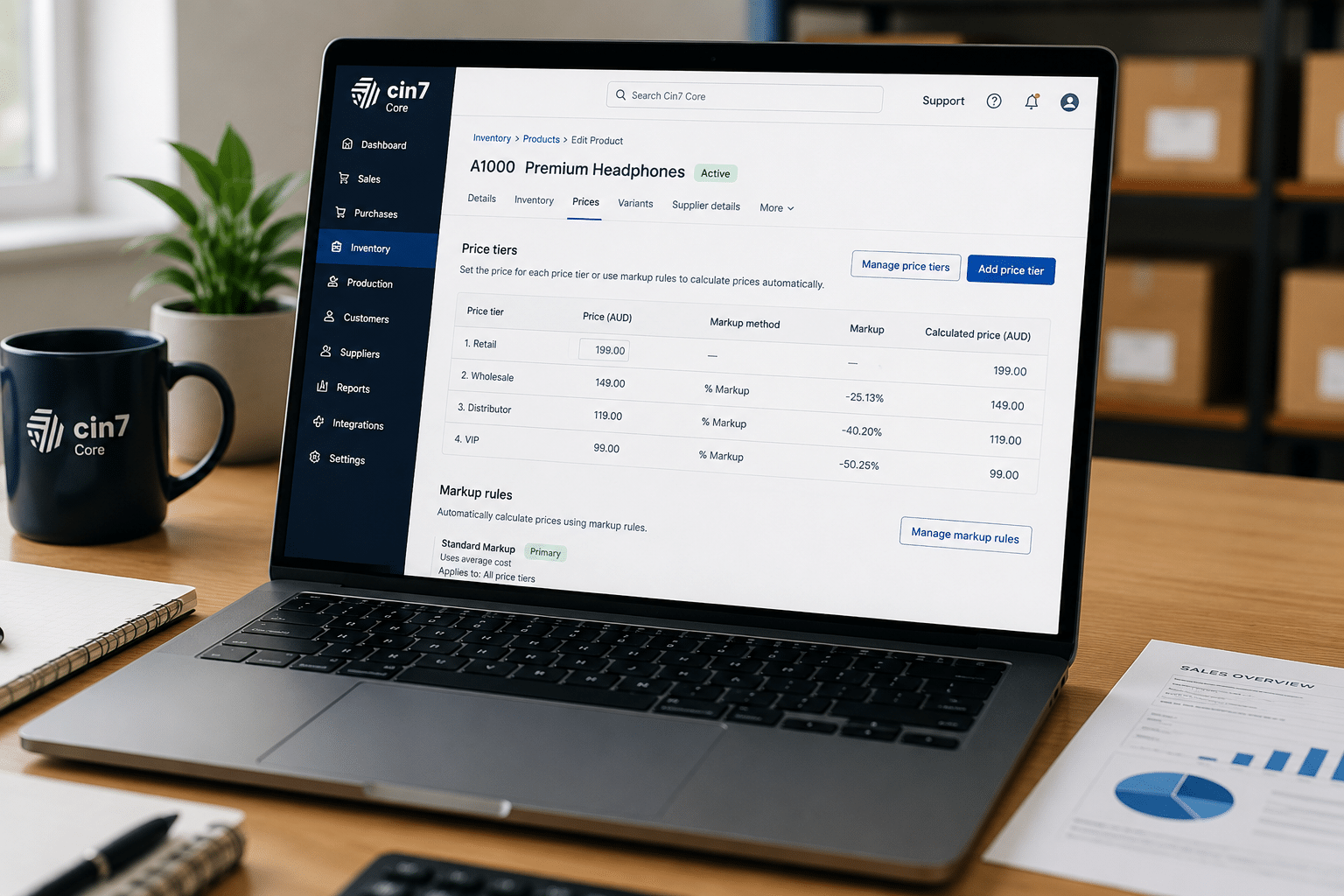
Pricing is the natural place to begin, because almost everything else reads from it. Cin7 Core lets you set up to 10 price points for each product, and customers are assigned a price tier that decides what they pay. Common examples are Retail, Wholesale and Distributor, though the names are yours.
There is a clean split in where these are managed. Price tier names are defined once in your general settings, while the actual values sit on each product under Inventory, then Products, on the Prices tab. You can type a static value into a tier, or let Cin7 Core calculate it with markup rules, including rules that follow your supplier pricing automatically so margins hold when costs move. The official pricing and price tiers documentation sets out each option.
A tier can be attached to a customer on their record or to an individual sale order, and the sale order tier takes priority if both are set. That lets you agree a one-off rate without changing a customer’s standing tier.
Custom pricing and customer-facing price lists
Tiers cover most situations, but key accounts often negotiate their own rates. Cin7 Core handles these with custom pricing: a specific price set for a specific customer. Custom prices take precedence over both regular product prices and price tiers, so a negotiated deal always applies without you having to create a separate tier for one buyer.
When it is time to share prices, you can print a price list for your whole catalogue or by category, in PDF or Word format. By default the first three tiers are shown, though the template can be edited to display more, and you can keep several templates for different customer groups. One point to plan around is that custom pricing does not appear on these printed lists, so negotiated rates are communicated separately. Getting your catalogue and tier values clean before you generate anything is far easier than correcting it later, which is why it pays to prepare your data up front.
Open a trade portal for self-service ordering
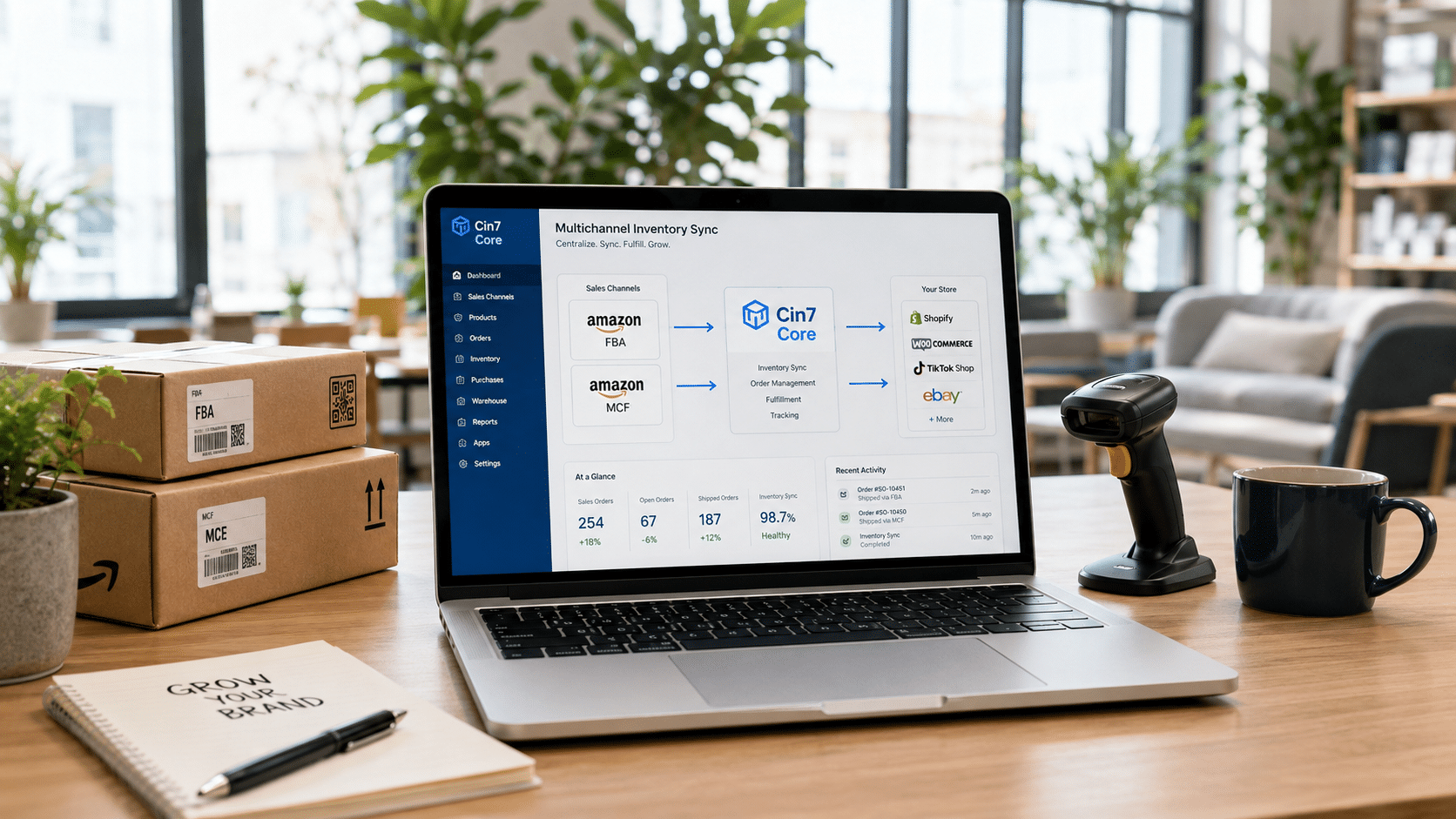
The trade portal is where wholesale buying becomes self-service. Cin7 Core’s B2B Portal lets your customers browse your catalogue and place orders around the clock, with their own pricing applied automatically once they log in. It is built specifically for businesses selling to other businesses, like wholesalers supplying retailers.
It is worth being clear that the portal is a paid add-on rather than part of the base subscription. You set it up under Integrations, then Cin7 Core B2B Portal, and you can run more than one portal if different customer groups need different catalogues or branding. Each portal gets its own URL, with the option of a custom domain. The B2B Portal setup guide covers the full process.
Inside the portal settings you control what buyers see and do: whether stock availability and recommended retail prices are shown, whether back orders are allowed for out-of-stock items, and which payment methods are available. You can also let approved customers buy on credit by mapping a credit account and creating the order as an authorised invoice, which mirrors how many wholesale relationships actually run.
Bring customers and sales reps onto the portal
A portal is only useful once the right people can reach it. Customers and sales reps are invited from within Cin7 Core, either by an invitation email or by exporting unique invite links to a CSV. Each invitee sets a password and then logs in to order.
Sales reps are handled neatly. A rep can have access to every active customer or only their allocated accounts, and reps invited to the portal do not count towards your Cin7 Core user licences. So a team that still takes orders by phone can place them through the same system the customer uses. If you also sell through other channels, design this alongside your wider multi-channel setup so nothing is duplicated.
Streamline buying with purchase orders
On the supply side, the purchase module is where you order stock and tie supplier invoices and deliveries back to the original order. A purchase starts with the document header, where you select the supplier and confirm terms, then you add items to the order. Cin7 Core gives you four ways to do that: adding products one at a time, adding a whole product family and its variants, importing the lines from a CSV, or scanning barcodes. For a wholesaler reordering hundreds of lines, the CSV import alone saves real time.
Before committing, the Verify Order function compares what you are ordering against current stock levels, and for importers it also shows how many cartons the quantity fills. Once you are happy, you authorise the order so it appears in your accounting reports. You can record a supplier deposit against it if a prepayment is needed, then process the supplier invoice and apply payments as they are made. The purchasing process documentation walks through each stage. Keeping this flow connected to your accounting through a clean Xero integration or QuickBooks sync removes most of the manual reconciliation that slows wholesale teams.
Receiving stock and partial deliveries
Receiving is the other half of purchasing. When goods arrive, you enter them on the Stock Received tab, check them against the order, and authorise to update your stock levels. A choice you make early in the header, Stock First or Invoice First, decides whether you receive goods or process the invoice first, so set the default to match how your suppliers work.
Suppliers rarely send everything in one go, and Cin7 Core handles that through Advanced Purchases. Converting a purchase order to an advanced purchase lets you receive and invoice a single order across several deliveries, the norm for wholesalers importing in containers or drip-feeding stock. You can also add landed costs such as freight, duty and insurance so imported goods reflect their true cost, and mark an order as received once no more stock is coming.
Best practices for a wholesale setup
A wholesale configuration rewards discipline at the start. A few habits stand out:
- Map your tier structure before loading products. Decide how many tiers you actually use and name them clearly, since every price list and portal reads from them.
- Reserve custom pricing for genuine negotiated accounts; overusing it makes pricing harder to audit later.
- Match your purchase input method to your suppliers. Set Stock First or Invoice First as the default that fits the majority of your orders.
- Use advanced purchases for anything received in stages. It keeps a single order accurate rather than splitting it into several.
- Keep pricing, orders and finance in sync. Reliable Cin7 Core integrations mean the portal, your accounts and stock always tell the same story.
If you are coming from spreadsheets or a disconnected setup, the move is a change in working habits, not just software. Our guide on going from manual systems to Cin7 Core is a useful primer, and a periodic system optimisation review keeps the configuration aligned as you grow.
Putting it all together
B2B pricing, a trade portal and a clean purchasing workflow are individually straightforward, but they work best designed together rather than bolted on one at a time. Tiers feed the portal, the portal feeds your sales orders, and purchasing keeps the stock behind it all available. Plan the structure once and the day-to-day largely runs itself.
If you would rather not learn the trade-offs through trial and error, a free system review is a low-risk way to check your setup, and our team is happy to speak to an expert about the way your wholesale business buys and sells.
Frequently Asked Questions
- How many price tiers can I set up in Cin7 Core?
Cin7 Core supports up to 10 price tiers for each product. The tier names are defined once in your general settings, while the values are set per product on the Prices tab under Inventory. A tier can be assigned to a customer on their record or to an individual sale order, and if both apply the sale order tier takes priority. - Can I give a specific customer their own negotiated prices?
Yes. Alongside tiers, Cin7 Core has custom pricing, which lets you set a specific price for a specific customer. Custom prices take precedence over both standard product prices and price tiers, so a negotiated rate always applies. Note that custom prices do not show on printed price lists, so those rates are shared with the customer separately. - Is the B2B Portal part of Cin7 Core or an add-on?
The B2B Portal is a paid add-on to your base subscription rather than a standard feature. Once added, you can run more than one portal for different customer groups, each with its own catalogue, branding and an optional custom domain, all managed from within Cin7 Core. - Can sales reps place orders for customers through the portal?
Yes. Sales reps can be invited to the portal and given access either to all active customers or only to the accounts allocated to them. Helpfully, sales reps invited to the portal do not count towards your Cin7 Core user licences, so giving a field team access does not increase your seat count. - What is the difference between a simple and an advanced purchase order?
A simple purchase order is received and invoiced as a single transaction, which suits straightforward orders. An advanced purchase lets you receive and invoice one order across multiple deliveries, which is common when a supplier ships in stages or you import in containers. You can convert a simple purchase to an advanced one when partial deliveries are needed. - How long does it take to set up Cin7 Core for a wholesale business?
For a business with a clean catalogue and a small number of tiers, the core configuration can be built and tested in a matter of days. Where there are many price tiers, a branded portal, credit accounts or complex importing to handle, it usually takes longer once data preparation, staff training and a first review are included. If you want a structured route through it, our implementation service walks you through the full process.